
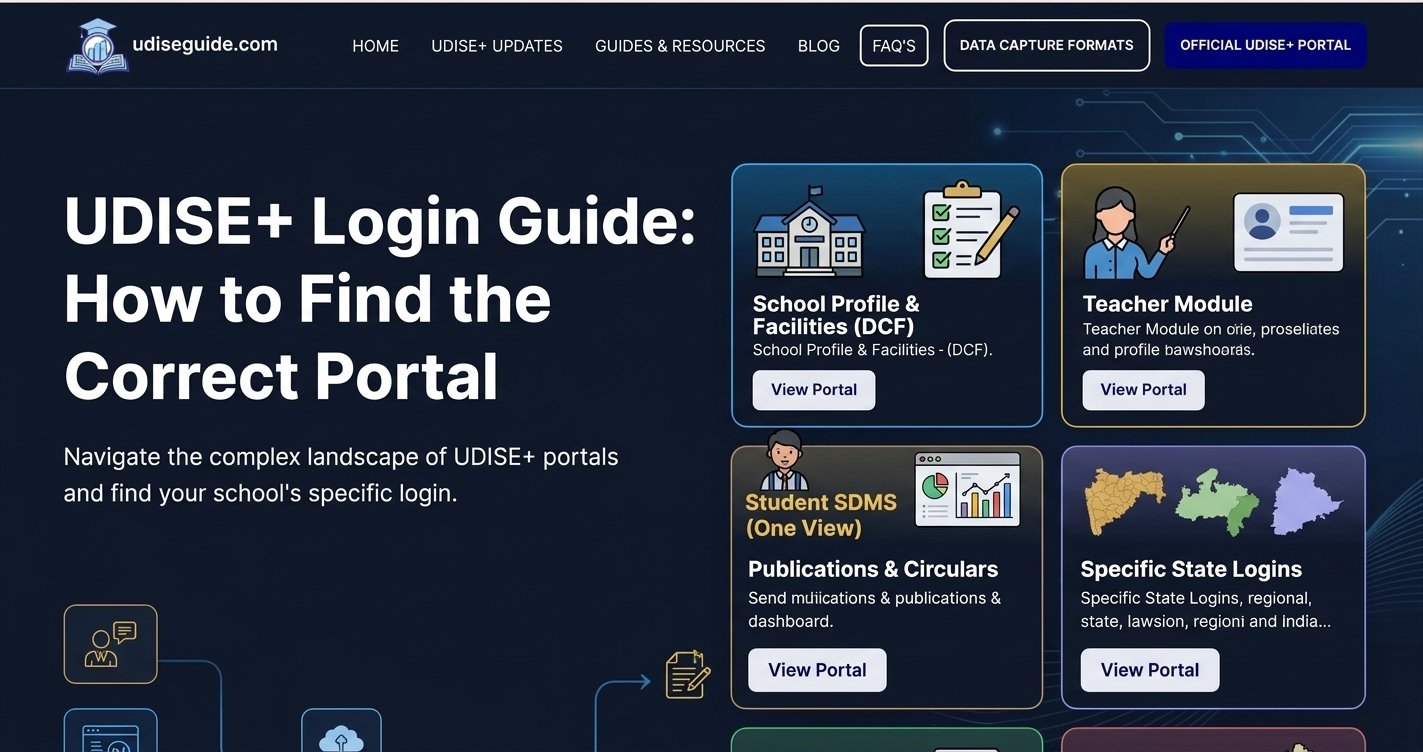
Learn how to reach the right official login page for your role.
Finding the correct UDISE+ login portal can be confusing, especially when you need to access school information, teacher records, student details, or educational reports. The UDISE+ system provides different modules for managing school education data, and each module serves a specific purpose.
Whether you are a school administrator, Head of School, teacher, data entry operator, or education official, choosing the correct login page is important before entering your credentials.
The official UDISE+ portal is managed by the Department of School Education and Literacy under the Ministry of Education, Government of India. It provides a central platform for collecting, managing, validating, and monitoring school education information across India.
In this guide, you will learn how to find the correct UDISE+ login page, understand the purpose of different modules, access official login links, and troubleshoot common login problems.
What Is the Official UDISE+ Login Portal?
The official UDISE+ website is:
UDISE+ stands for Unified District Information System for Education Plus. It is a national education management information system that collects data about recognised schools, students, teachers, infrastructure, and other important educational indicators.
Schools use this system to submit and maintain their annual education data. The information is also reviewed and validated by authorised officials at block, district, state, and national levels.
The official portal provides access to different services, including:
- School Profile and Facilities Management
- Teacher Database
- Student Database Management System (SDMS)
- Reporting Module
- School Directory and User Management
- Know Your School
- Dashboard and Reports
- UDISE+ Archive
- Data Sharing Portal
Not every service requires the same type of login. Some sections are designed for authorised school users, while others provide publicly accessible information.
Important: Always check the website address before entering your username, password, or OTP. This website, UDISEGuide.com, is an independent educational information resource and is not affiliated with the Government of India.
Which UDISE+ Login Portal Should You Use?
The correct login page depends on your responsibilities and the information you want to access.
Here is a quick overview of the main UDISE+ modules.
| UDISE+ Module | Main Purpose | Intended Users |
|---|---|---|
| School Profile Module | Manage school information and facilities | Head of School and authorised staff |
| Teacher Module | Maintain teaching and non-teaching staff records | Authorised school users |
| Student Module (SDMS) | Manage student-related information | Authorised school personnel |
| Reporting Module | Enter and manage school data through reporting facilities | Schools and authorised officials |
| School Directory and User Management | Manage school directory and user information | Designated administrative officials |
Choose the module that matches your assigned responsibility. Having access to one UDISE+ module does not automatically mean you can use every other module.
Direct Official UDISE+ Login Links
Use the following official government entry points to reach the relevant UDISE+ services.
| Portal | Official Website |
|---|---|
| UDISE+ Main Portal | https://udiseplus.gov.in/ |
| School Profile Module | https://udiseplus.gov.in/udiseprofile/ |
| Teacher Module | https://udiseplus.gov.in/udiseteacher/ |
| Student Module (SDMS) | https://sdms.udiseplus.gov.in/p1/v1/login |
| Reporting Module | https://www.udiseplus.gov.in/udisereport/ |
For School Directory and User Management, use the relevant option available through the official UDISE+ homepage.
Note: Direct module URLs and login procedures may change. If a link does not open or redirects to another page, return to the official homepage and select the relevant module. The reporting and profile modules may also have different authentication requirements.
UDISE+ Login for Different Roles
UDISE+ supports education data management at different administrative levels. Each level has specific responsibilities and access permissions.
1. School-Level Login
School-level users are responsible for maintaining and submitting information about their institutions.
Depending on their assigned permissions, they may access:
- School profile and infrastructure details.
- Student enrolment information.
- Teacher and non-teaching staff records.
- School facilities and available resources.
- Annual data capture and reporting activities.
School-level access is generally provided to the Head of School, authorised administrators, and designated data entry personnel.
2. Block-Level Login
Block-level officials and MIS coordinators help schools manage their UDISE+ reporting activities.
Their responsibilities may include:
- Supporting schools with login problems.
- Assisting with username and password issues.
- Monitoring school data submission.
- Reviewing information submitted by schools.
- Providing administrative support.
If you cannot recover your school login credentials, your Block MIS Coordinator is an important point of contact.
3. District-Level Login
District-level officials help monitor and review school education information submitted within their administrative area.
Their responsibilities may include:
- Reviewing school data.
- Monitoring reporting progress.
- Supporting block-level administration.
- Assisting with account-related issues.
- Coordinating data validation activities.
4. State and UT-Level Login
State and Union Territory officials oversee UDISE+ data management and reporting across their respective jurisdictions.
They may monitor reporting progress, review information, coordinate administrative activities, and support the validation process.
Remember: School, block, district, and state accounts have different permissions. You should always use the credentials assigned to your specific role.
1. UDISE+ School Profile and Facilities Login
The School Profile and Facilities Module is used to maintain important information about individual schools.
It provides a structured way for authorised school representatives to enter, review, and update school-related details.
The information may include:
- School name and identification details.
- School category and management type.
- Classes offered by the institution.
- Classroom and building facilities.
- Drinking water and sanitation facilities.
- Electricity and other infrastructure.
- Educational resources and available facilities.
How to Access the School Profile Module
- Visit the official UDISE+ website.
- Open the School Profile and Facilities Management option.
- Alternatively, visit https://udiseplus.gov.in/udiseprofile/.
- Enter your authorised username and password.
- Complete CAPTCHA verification, if displayed.
- Click the Login button to access your dashboard.
For the school-level Reporting Module, the official portal specifies that the school’s UDISE code is used as the username. Do not automatically assume that every module uses identical login credentials.
Who should use this module?
Headmasters, principals, authorised school administrators, and designated data entry operators.
Related guide: UDISE+ School Profile Login Guide
2. UDISE+ Teacher Module Login
The Teacher Module is designed to maintain information about teaching staff, non-teaching staff, and other relevant personnel.
It forms part of the UDISE+ data management system and helps authorised users maintain accurate teacher-related records.
Depending on the available functions, the module may include:
- Teacher identification details.
- Educational qualifications.
- Professional information.
- Appointment and service-related details.
- Teaching and non-teaching staff information.
- Vocational Training Provider (VTP) information, where applicable.
How to Access the Teacher Module
- Visit the UDISE+ official homepage.
- Select the Teacher Module option.
- You can also try the official module address: https://udiseplus.gov.in/udiseteacher/.
- Enter the credentials assigned to your account.
- Complete the displayed verification process.
- Select Login to access the Teacher Database dashboard.
Who should use this module?
Authorised school administrators and designated education personnel responsible for maintaining staff information.
Teachers should not assume they can independently access the school’s administrative account. Their access depends on the permissions assigned by the education department.
Related guide: UDISE+ Teacher Module Login Guide
3. UDISE+ Student Module (SDMS) Login
The Student Database Management System (SDMS) is an important part of the UDISE+ ecosystem. It focuses on managing student-related information maintained by authorised educational institutions.
Schools use the system to manage relevant student records and academic information.
Depending on the available permissions and functions, information may include:
- Student personal details.
- Admission and enrolment records.
- Class and section information.
- Academic progression.
- Student transfer and movement records.
- Other required student-related information.
How to Access the UDISE+ Student Module
- Visit the official UDISE+ website.
- Select the Student Module or SDMS option.
- Alternatively, open https://sdms.udiseplus.gov.in/p1/v1/login.
- Enter your authorised login credentials.
- Complete the CAPTCHA or other verification, if required.
- Select the Login option to access the student management dashboard.
Can Students and Parents Log In Directly?
UDISE+ is primarily an institutional education data management system. School-level student records are generally managed by authorised school personnel.
Students and parents should not use school administrative credentials to access or change records. If you need to check or correct student information, contact your school for the appropriate process.
For more information, read our UDISE+ Student Module Login Guide.
4. UDISE+ Reporting Module Login
The Reporting Module provides access to the UDISE+ school data reporting system.
It allows authorised users to enter and manage information required for school education reporting.
The official Reporting Module login page includes username, password, and CAPTCHA fields. It also provides a Forgot Password option and an alternative login mode.
How to Access the Reporting Module
- Open https://www.udiseplus.gov.in/udisereport/.
- Enter the school’s UDISE code in the username field, where applicable.
- Enter the password provided by the Block MIS Coordinator.
- Complete the CAPTCHA displayed on the screen.
- Select Login to continue.
The official reporting page specifically states that the school UDISE code is the username and the password is provided by the Block MIS Coordinator.
If you have forgotten your username or password, or your registered mobile number has changed, contact the Block or District MIS office.
Official login: UDISE+ Reporting Module
5. School Directory and User Management Module
The School Directory and User Management Module supports administrative management of school information and authorised user accounts.
It is different from the regular school data-entry modules.
Depending on assigned permissions, the system may support:
- Creating school records.
- Managing school identification information.
- Updating basic school details.
- Maintaining school status and location information.
- Managing authorised user details.
- Supporting school, block, and district-level administration.
This module is mainly intended for designated administrative officials.
If you are a school user who only needs to update annual school information, select the relevant Profile or Reporting Module instead.
To find the appropriate School Directory and User Management access option, visit the official UDISE+ homepage.
How to Find the Correct UDISE+ Login Page
If you are unsure which module to select, follow these steps before entering your credentials.
Step 1: Open the Official Website
Visit https://udiseplus.gov.in/ using an updated browser.
Step 2: Identify Your Requirement
Determine whether you need to manage school information, teacher records, student details, or reporting data.
Step 3: Select the Appropriate Module
Choose the relevant module from the official website.
For example:
- School information: School Profile Module.
- Staff information: Teacher Module.
- Student records: Student Module (SDMS).
- School reporting: Reporting Module.
- Administrative school records: School Directory and User Management.
Step 4: Enter Your Login Credentials
Use the username and password provided through the authorised education department.
Step 5: Complete Verification
Enter the CAPTCHA or complete any additional verification displayed on the login page.
Step 6: Access Your Dashboard
After successful authentication, the system will display the dashboard and functions available to your account.
Always check that you are using the correct module before making changes to school, teacher, or student information.
UDISE+ Login Username and Password: What Do You Need?
The login information depends on the module and account permissions.
Generally, authorised users may need:
| Login Requirement | Purpose |
|---|---|
| Username or User ID | Identifies the authorised account |
| Password | Authenticates the user |
| School UDISE Code | Used as the username in the official Reporting Module |
| CAPTCHA | Helps verify that the login attempt is genuine |
| Registered Mobile Number | May be required for OTP or account verification |
Where Can You Get Your UDISE+ Login Credentials?
If you are a school representative and do not have your login details, follow these steps:
- Contact your school’s authorised administrator or Head of School.
- Ask your Block MIS Coordinator for the required credentials.
- Confirm your school’s UDISE code where applicable.
- Follow the official account activation or password instructions.
- Contact your District MIS office if the issue remains unresolved.
UDISE+ school accounts are not ordinary public registration accounts. Access is provided through the authorised education administration process.
How to Reset a Forgotten UDISE+ Password
Forgetting a password can prevent you from accessing important school information and reporting facilities.
If the selected module offers password recovery, follow the instructions displayed on its login page.
Password Recovery Steps
- Open the official login page of the module you use.
- Look for the Forgot Password option.
- Select it and follow the displayed instructions.
- Complete the required verification process, if available.
- Follow the instructions to regain access to your account.
If password recovery does not work, contact your Block or District MIS Coordinator.
What If Your Registered Mobile Number Has Changed?
If your mobile number has changed, you may not receive the required OTP or account verification message.
For school users of the Reporting Module, the official portal advises contacting Block/District MIS in cases involving forgotten login details or changed mobile numbers and other account information.
Do not share your OTP or password with anyone claiming to provide unofficial account recovery services.
Related guide: UDISE+ Forgot Password and Login Recovery Guide
Common UDISE+ Login Problems and Their Solutions
Sometimes users select the correct portal but still cannot access their accounts.
Here are some common problems and the steps you can take to resolve them.
1. Incorrect Username or Password
This usually happens when a user enters incorrect credentials or selects the wrong login module.
Solution:
- Check your username carefully.
- Confirm that you are using the correct module.
- Check whether Caps Lock is enabled.
- Contact your Block MIS Coordinator if your credentials are not working.
2. CAPTCHA Verification Failed
A CAPTCHA error may occur when the entered verification code does not match the displayed image.
Solution:
- Enter the CAPTCHA carefully.
- Refresh the CAPTCHA if a new option is available.
- Check that you have not missed any characters.
- Try reloading the login page.
3. Forgot Password
If you cannot remember your password, use the available password recovery option.
If the recovery process is unavailable or unsuccessful, contact the relevant MIS office.
4. OTP Not Received
An OTP may be delayed because of mobile network problems, an outdated registered number, or other verification issues.
Solution:
- Check your mobile network.
- Confirm that the registered number is correct.
- Wait briefly before requesting another OTP.
- Contact your authorised MIS coordinator if the issue continues.
5. Login Page Not Opening
The login page may fail to load because of browser issues, temporary server problems, or an incorrect URL.
Solution:
- Check your internet connection.
- Open the official homepage again.
- Try an updated browser.
- Clear your browser cache if necessary.
- Try again later if the portal is temporarily unavailable.
6. Account Access Denied
You may receive an access error if your account does not have permission to use a particular module.
Solution:
Contact the relevant school administrator, Block MIS Coordinator, or District MIS office to confirm your account permissions.
7. Session Expired
A session may expire if you remain inactive for an extended period.
Solution:
Return to the login page and sign in again using your authorised credentials. Save your work regularly to avoid losing unsaved information.
Other Services Available on the Official UDISE+ Website
The UDISE+ homepage provides several additional services beyond the login modules.
Some of these services are useful for students, parents, researchers, school administrators, and education officials.
1. Know Your School
Know Your School helps users find information about schools through the available search facilities.
It can be useful when you want to identify a school or check publicly available school details.
Official website: https://udiseplus.gov.in/
2. Dashboard and Reports
The official portal provides access to education dashboards and reports containing information about school education indicators.
These resources can help users explore available statistics and understand education-related trends.
3. UDISE+ Archive
The archive provides access to historical UDISE+ information and previously published data, where available.
It can be useful for researchers, education professionals, and users comparing school education information across different years.
4. Data Sharing Portal
The Data Sharing Portal provides access to relevant school-level data under the applicable data-sharing policy.
It is particularly useful for research, academic studies, and data analysis.
5. UDISE+ GIS Capture
The GIS-related service supports geographical information associated with schools and education planning.
6. New UDISE Code Application Status
The official homepage also provides a facility to check the status of a new UDISE code application.
Visit the official portal to access the latest available options.
Important Tips for Safe UDISE+ Login
School information and student records should be handled carefully. Follow these security practices whenever you use the UDISE+ system.
- Always visit the official government website.
- Never enter your credentials on unknown websites.
- Do not share your password or OTP with unauthorised individuals.
- Use a secure internet connection.
- Avoid saving passwords on public or shared computers.
- Log out after completing your work.
- Keep your login information confidential.
- Follow the latest instructions issued by your education department.
These simple precautions can help protect your account and prevent unauthorised access to important school information.
Frequently Asked Questions About UDISE+ Login
1. What is the official UDISE+ login website?
The official UDISE+ website is https://udiseplus.gov.in/. Users can access the relevant modules and services through this government portal.
2. How do I find the correct UDISE+ login page?
First, identify your requirement. Select the School Profile Module for school information, Teacher Module for staff records, Student Module for student data, or Reporting Module for school reporting activities.
3. Can I use the same UDISE+ login for all modules?
Not necessarily. Login credentials and access permissions depend on the module and account type. Some modules may use different authentication methods.
4. What is the UDISE code used for during login?
The UDISE code is a unique identification number assigned to a school. The official Reporting Module specifies that the school’s UDISE code is used as its username.
5. Who provides the UDISE+ school login password?
For the school-level Reporting Module, the official portal states that the Block MIS Coordinator provides the password. Contact your relevant MIS office if you need assistance.
6. How can I reset my UDISE+ password?
Open the relevant module’s official login page and select Forgot Password if available. Follow the displayed recovery instructions. If you cannot recover your account, contact your Block or District MIS Coordinator.
7. Can students log in to the UDISE+ portal?
UDISE+ is primarily designed for institutional education data management. Students generally do not use school-level administrative accounts to access their records. Contact your school for student information and related assistance.
8. What is the difference between UDISE+ and SDMS?
UDISE+ is the broader education management information system, while SDMS focuses on student-related data management within the UDISE+ ecosystem.
9. Why is my UDISE+ login not working?
Common reasons include incorrect credentials, CAPTCHA errors, expired sessions, account permission issues, or temporary technical problems. Verify your login details and contact your MIS coordinator if necessary.
10. Can I access UDISE+ reports without logging in?
Some reports and publicly available information may be accessible without signing in. However, restricted reporting and data-management functions require authorised credentials.
11. Is UDISE+ available for all Indian states and union territories?
UDISE+ is a national education data system covering recognised schools across India. The relevant state or UT administration participates in the data collection and validation process.
12. Is UDISEGuide.com the official UDISE+ portal?
No. UDISEGuide.com is an independent educational information website that publishes guides and explanations to help users understand UDISE+ services. The official government portal is https://udiseplus.gov.in/.
Final Words
Finding the correct UDISE+ login page becomes easier when you understand the purpose of each module and the permissions associated with your account.
Whether you need to access school profile information, teacher records, student data, or reporting facilities, always start with the official UDISE+ website and select the module that matches your responsibilities.
Keep your login credentials secure, follow the latest instructions from your education department, and contact your Block or District MIS Coordinator whenever you face account-related problems.
With the correct login page and authorised credentials, you can access the relevant UDISE+ services more confidently and avoid unnecessary confusion.